倘若当前你的 mac OS 没有连接网络,那么可能就没有ip地址供container内访问。 此时也许可以执行命令: sudo ifconfig lo0 alias 10.200.10.1/24 来手动设置一个ip。 然后在container内再设置 export DISPLAY=10.200.10.1:0 。
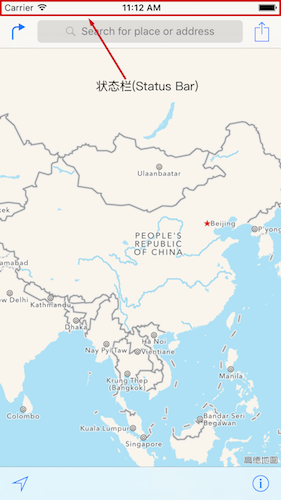
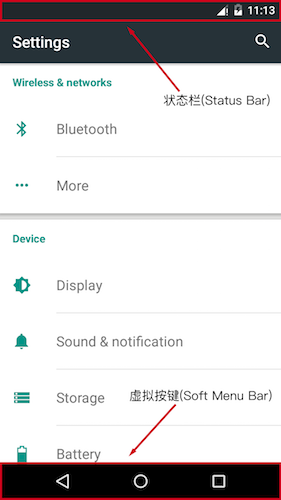
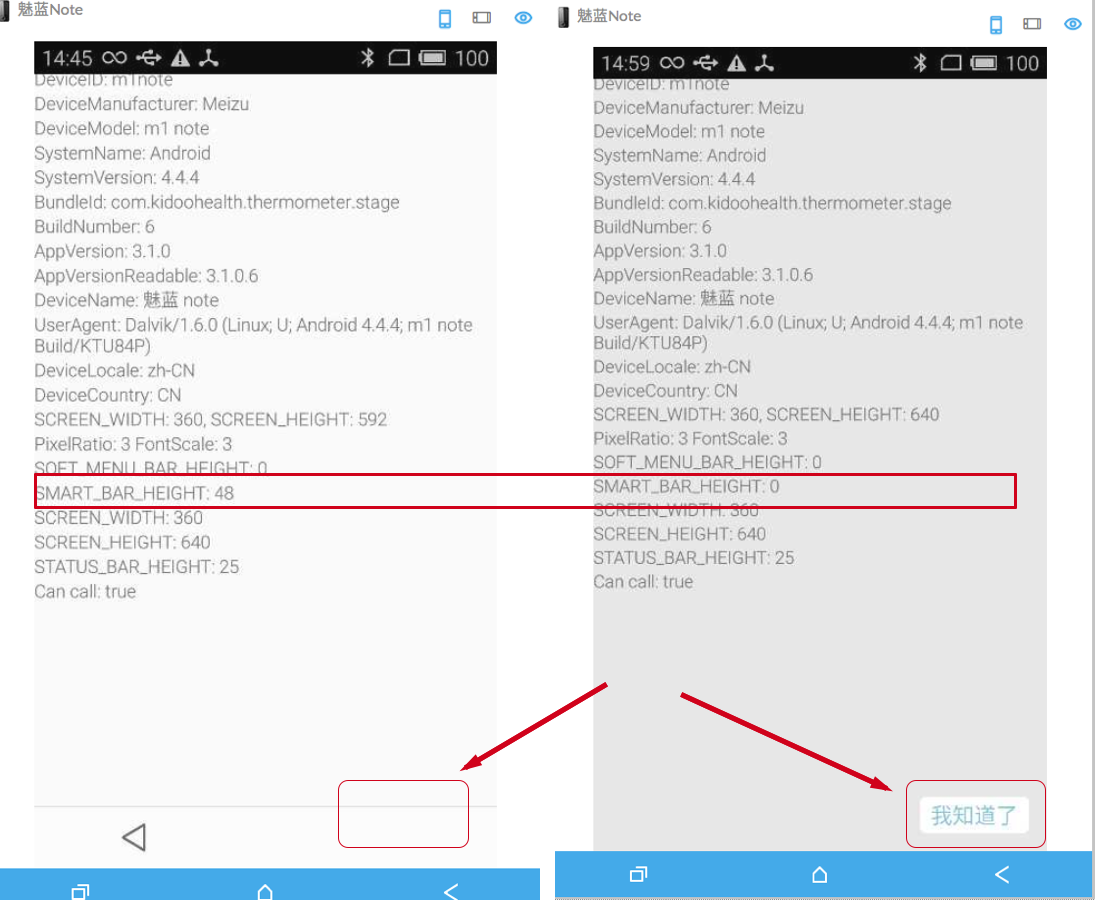
如图所示,屏幕的宽度计算比较简单,就是从左边到右边的距离即可。 然后就是屏幕的高度了,这里其实我们是需要获取到可用区域的高度。 如图所示,对于 ios 系统来说可用区域高度就是整个屏幕的高度减去 Status Bar 的高度; 对于 android 系统来说就是屏幕的高度减去 Status Bar 和 Soft Menu Bar 的高度。
获取 iOS 设备的屏幕分辨率
正如上面所说的,在 ios 下的计算方法为:
1
2
var WIDTH = Dimensions.get('window').width;
var HEIGHT = Dimensions.get('window').height - STATUS_BAR_HEIGHT;
/** * Loading JavaScript code - uncomment the one you want. * * OPTION 1 * Load from development server. Start the server from the repository root: * * $ npm start * * To run on device, change `localhost` to the IP address of your computer * (you can get this by typing `ifconfig` into the terminal and selecting the * `inet` value under `en0:`) and make sure your computer and iOS device are * on the same Wi-Fi network. */
/** * OPTION 2 * Load from pre-bundled file on disk. The static bundle is automatically * generated by the "Bundle React Native code and images" build step when * running the project on an actual device or running the project on the * simulator in the "Release" build configuration. */
这里如果在模拟器中进行调试,那么 development server 则为 localhost;如果在真机设备中调试,那么 development server 则为电脑的 ip 地址。 到此已经可以实现自动设置 ip 地址了,如果还想要在 Chrome 中对设备进行调试,那么还需要修改一下 WebSocket 的配置。
如果请求时遇到如下错误: No 'Access-Control-Allow-Origin' header is present on the requested resource. Origin 'http://example.org' is therefore not allowed access.